Initiatives in BSC Designer PRO
Use initiatives to describe action plans for the goals and KPIs; include data for budget, timeline and the person responsible.
To access initiatives:
- Go to the KPI tab
- Select any indicator or goal
- Switch to the General tab below
- Click on the Initiatives button
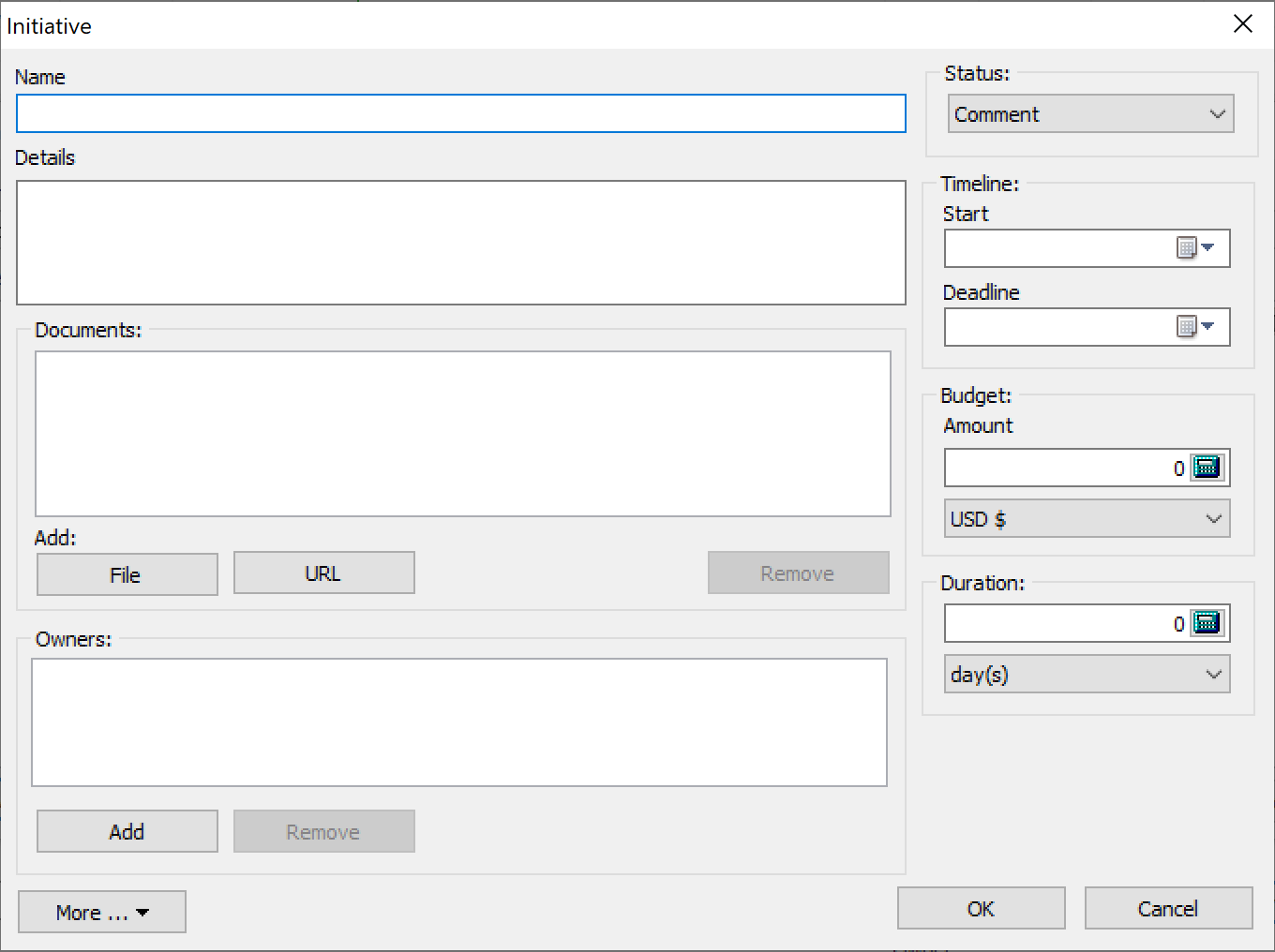
The settings for an initiative:
- Name of the initiative
- Details - additional information about the initiative
- Status of the initiative (statuses are defined in menu Tools > Application Options > Workflow tab)
- Timeline - start date, deadline, and duration for an initiative
- Budget associated with the initiative
- Duration of the initiative
- Documents - a link to the external documents
- Owners for the initiative; this is used on strategy maps and for the alerts
BSC Designer can generate an Action plan report that will include all the initiatives.